Disclosure: We were provided with a test phone and several months of service to facilitate this review. As always, all opinions expressed here are entirely my own.

With school back in session, some of you are probably realizing that you have children who didn’t need cell phones before and now do. (I know at my house, kids who are rarely away from us and not with another adult don’t need them yet, because they have access when they need one.) Crazy how fast they grow up!
But if you’re at that point, you’re probably also thinking through the cost of adding another line! Here’s an option you may not have considered: Republic Wireless.
Republic Wireless
Republic Wireless is a low-cost option — and it doesn’t require a contract. Republic keeps costs low by employing a unique technology: rather than being completely depend on cellular signal, it relies on wireless when that’s available, and only switches over to cell service when there is no wireless signal. Now, this does mean that you need a Republic Wireless-ready phone (so it has that switching capability). And like other no-contract services, you’ll need to purchase your own phone. But once you have an equipped phone, the process is pretty easy, and quite inexpensive.
Cell Phones
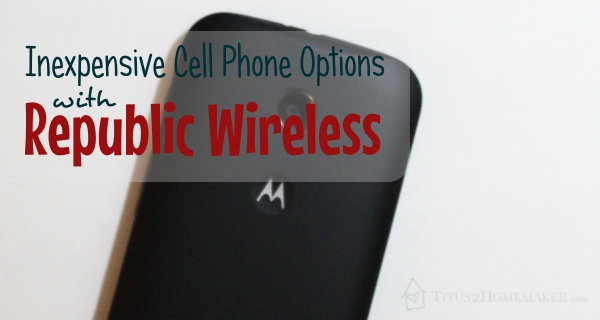
The first thing you’ll need to do is select your phone. Right now, Republic is using the Moto E and Moto X from Motorola. (The Moto X even has some design-your-own options, including an amazingly gorgeous bamboo finish!) These are both Android smartphones and seem to be pretty sturdily built. We were sent the Moto E, and I found that it had a pretty solid heft in my hand (in a good way). It has an odd vibration to it when you input data, though — like the in-hand vibration of a Wii remote. That was a little disconcerting to me and took a bit of getting used to. I’m not sure if there’s a way to turn that off, or if it’s just inherent to the design of the phone. Either way, the phone is as easy to use as any Android phone.
Service
Then, of course, you’ll need to choose your service, which is where your options really come in.
If you always have wi-fi available, there’s a really inexpensive option. $5 a month. That’s it. If, for instance, there were wi-fi at the place my daughters go for choir practice, this would have been adequate for them, because that’s the only time they need their phone. So think about that — if your kids have lessons or classes someplace, that’s the only place they need the phone, and that location has wireless, this may be the only thing they need. For most people, that won’t be the case.
If you need cell service at least part of the time, you’ll want at least the next step up. $10/month provides cell service for talk and text, but no data. If you don’t want your kids getting into trouble online, this might be a good fit! 😉 Just to be clear, without at least this plan, you cannot make phone calls when there’s no wireless access. (I assume 911 is an exception. I didn’t try it, for — hopefully — obvious reasons, but I’m pretty sure any active cell phone will dial 911.)
If you also want data, the options climb incrementally from here. For only $17.50/month, you can get unlimited talk & text, plus 0.5 GB data. If you need more, you can get more. (There are a variety of choices).
Better still, these options are flexible! It’s very easy to switch from one plan to another (as long as you *ahem* remember your password). And you can do this once, even before the end of the month, if you discover the plan you chose is not the best fit. I tried this out because I wanted to see how easy it is for you — I downgraded us to the wi-fi service (and later back) — and found it to be as easy as logging in and changing settings. (If you’re on the Republic Refund plan — that is, you’re signed up for data — changes will take effect on the following billing cycle.)
On top of that, Republic has just introduced the “Republic Refund Plan.” The basic idea behind this plan is that you set up your month-to-month recurring payment on whatever plan makes sense for your data usage needs — but Republic will refund you for any overage. (You’ll want to read the details at the site, because this is the simplified version.)
Really, can you get something so tailored to your needs anywhere else?
You Probably Have Questions
You probably have a few questions, like:
What’s the quality of the calling? Doesn’t it drop calls when transitioning?
Nope. At least we never experienced dropped calls. Not that a dropped call here or there would be unusual for a cell phone. All-cell networks drop calls at times when transitioning between towers, so it would be unrealistic to expect that Republic would never drop a call. But we didn’t run into any difficulties or lack of quality. Just used it like any other cell phone and never noticed the difference.
Is it really a good deal?
Well, it depends on your cell phone needs. It has been my observation that if you have enough cell phones in your household that can share minutes & data on a family plan with someone else, that might be a better deal for you. If you need data in addition to talk and text, but almost never use your phone, a cheap prepaid phone may be a better deal. For everyone else, you probably can’t beat this.
So head on over and see if Republic is right for you. You won’t know unless you check it out.

Leave a Reply